Gokiosk - Kiosk Lockdown & MDM14.0.20102023P
Publisher Description
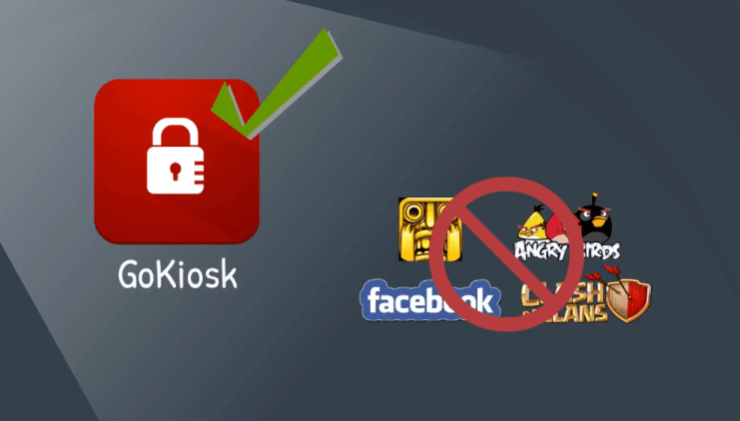
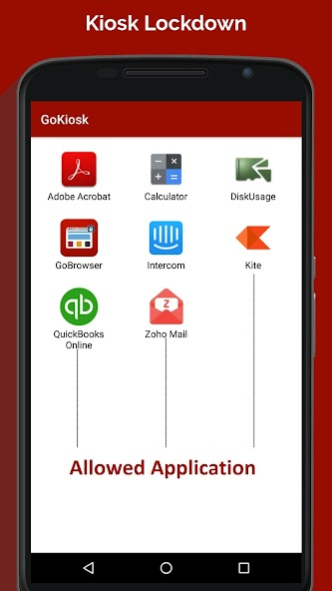
Gokiosk is the #1 Kiosk Lockdown app that helps you manage Android devices by turning them into dedicated Android kiosks. Gokiosk lets you customize your homescreen and limit users from accessing unwanted applications on the smart device to save your time and minimize the misuse.
Admins will be able to lockdown games, social media applications and system settings like Wi-FI, Bluetooth, Camera and more to make the dedicated Android kiosks work effectively.
Who uses Gokiosk?
- Field force using Android smart devices
- Schools and libraries to lockdown their devices for superior security
- Trucking and fleet management companies (ELD Mandate) & Logbook Application Lockdown
- Taxi Dispatch Systems to turn Android devices into dedicated Kiosk Lockdown mode
- Electronic proof of delivery application used for logistics partners
- Customer engagement Kiosks at Retail stores & Ticketing Kiosks
- Passenger Information Kiosks for Airports, Railways and Bus services
- Inventory management, control and asset tracking operations
- Patient surveys and health records at hospitals
- Restaurant billing, customer feedback and engagement systems
Why Gokiosk?
Gokiosk Kiosk Lockdown app is affordable and offers better support and features compared to its peers. Gokiosk works on the majority of the Android smart devices flawlessly and gives a great user experience to your users.
Gokiosk includes an integrated device management option. You can simply enable or disable it from the Gokiosk settings with a single click.
With remote device management, you can remotely manage the settings, install apps, troubleshoot technical issues, track devices in real time, view call & SMS logs. Gokiosk also helps you receive MDM commands over SMS/text messages.
Our features:
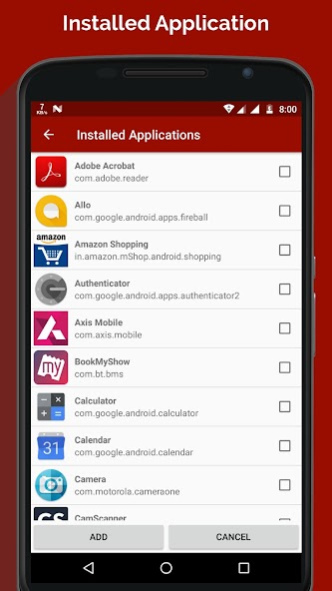
* Remotely Lock and Unlock devices; allow and block Applications
* Restrict access to only selected applications
* Display widgets on home screen
* Display application shortcuts
* Block user from altering system settings
* Auto launch applications at startup
* Control Peripherals and system settings (WiFi, Bluetooth, etc)
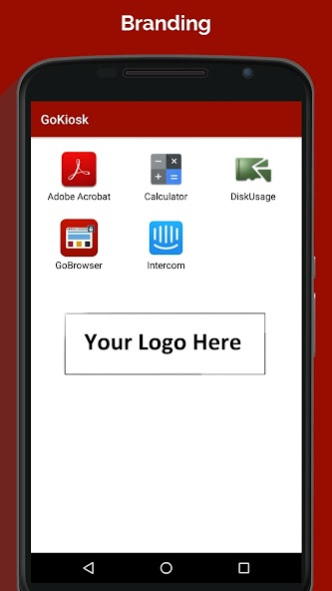
* Customize home screen (Layout, Application captions, Wallpaper, Branding)
* Remotely manage Gokiosk with GoMDM
* Single application mode
* Disable status bar and notification panel
* Easily integrates GoBrowser (Lockdown browser to restrict user on certain sites only)
* Block and manage incoming and outgoing phone calls
* Driver safety mode: Disable or enable touch and buttons for your driver’s safety
* Disable power button
* Report SMS and Call logs to MDM server
* Group applications
* Delay application launch
Want to remotely configure Gokiosk Kiosk Lockdown?
* You can use GoMDM (Android Device Management) to remotely configure and manage Gokiosk (Kiosk Lockdown).
* From our cloud-based dashboard, you can remotely enable or disable applications that are essential for your business and block unnecessary data consuming apps
* Gokiosk - Kiosk Lockdown can work as a replacement to traditional Mobile device Management (MDM) solutions. It is ideal to secure the use of company-owned Android devices used by your employees, tablet-based interactive kiosks, mobile point of sale (mPOS) and digital signage.
Kindly note:
The free version is limited to access to only two apps in the single-app mode. To update the default wallpaper and password, you will need to upgrade your plan.
If you have any questions write to us at info@intricare.net
Getting Started Guide: https://intricaretech.freshdesk.com/support/solutions/articles/36000044207-gokiosk-setup-guide
About Gokiosk - Kiosk Lockdown & MDM
The company that develops Gokiosk - Kiosk Lockdown & MDM is Intricare Technologies. The latest version released by its developer is 14.0.20102023P.
To install Gokiosk - Kiosk Lockdown & MDM on your Android device, just click the green Continue To App button above to start the installation process. The app is listed on our website since 2023-10-20 and was downloaded 52 times. We have already checked if the download link is safe, however for your own protection we recommend that you scan the downloaded app with your antivirus. Your antivirus may detect the Gokiosk - Kiosk Lockdown & MDM as malware as malware if the download link to net.intricare.enterprisedevicekiosklockdown is broken.
How to install Gokiosk - Kiosk Lockdown & MDM on your Android device:
- Click on the Continue To App button on our website. This will redirect you to Google Play.
- Once the Gokiosk - Kiosk Lockdown & MDM is shown in the Google Play listing of your Android device, you can start its download and installation. Tap on the Install button located below the search bar and to the right of the app icon.
- A pop-up window with the permissions required by Gokiosk - Kiosk Lockdown & MDM will be shown. Click on Accept to continue the process.
- Gokiosk - Kiosk Lockdown & MDM will be downloaded onto your device, displaying a progress. Once the download completes, the installation will start and you'll get a notification after the installation is finished.
Program Details
System requirements
Download information
Pricing
Version History
version 14.0.20102023P
posted on 2023-10-20
version 13.9.03102023P
posted on 2023-10-03
Under the hood enhancements
version 13.8.05092023P
posted on 2023-09-11
- Performance improve
version 13.7.25082023P
posted on 2023-08-25
- performance improvement
version 13.1.15062022P
posted on 2022-06-15
- Bug fixes
version 12.9.08032022P
posted on 2022-03-08
Bug fix and improve performance
version 9.0.05092019P
posted on 2019-09-12
Performance Improved.
Fix Power off popup block issue.
Fix Double-tap issue.
Fix License expired issue check.
Fix system app issue.
Fix Scheduling features issue.
Fix Location & OS Version bug fix for pie.
New theme with colors.
version 8.7.18062019P
posted on 2019-07-23
Improved peripheral setting.
Fix double tap issue.
Fix the power button issue.
version 4.0.31052019P
posted on 2019-06-19
Added Samsung Knox features for Samsung devices.
Single mode application for Android Mobile, Tv and Box.
version
posted on 2017-11-22
- Added functionality to define icon size, font size and font color.
- Added functionality to scan and copy settings from one device to another.
- Under the hood enhancement.
